
Elevations
Get Your Designs Built the Way You Intended
Create detailed, professional elevations that give contractors the measurements and information they need to accurately bring your designs to life.
Give Contractors the Details They Need to Get It Right
Nothing’s worse than seeing a great design go wrong during installation.
Add measurements and annotations to clearly communicate placement, dimensions and important design details, leaving less room for interpretation on site.
You've Already Designed the Room. Don't Draw It Again
Because your time is better spent designing, not duplicating work.
Create elevations directly from your existing 3D designs instead of rebuilding your work from scratch in separate drafting software.

Show Every Important Detail
Your drawings should be able to answer questions even when you’re not there.
Create multiple elevation views to document different walls and areas of your design, from cabinetry and built-ins to lighting and millwork.
Catch Problems Before They Reach the Job Site
Because install day has enough surprises already.
Review heights, spacing and alignment from multiple elevation views so you can spot potential issues before construction or installation begins.


1-on-1 Training
We’ll Help You Nail It
—Right from the Start
Get up to speed quickly with a free training session tailored to your needs.

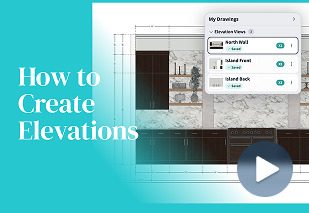
See How Easy It Is to Create Elevations
Watch the step-by-step tutorial to see how quickly you can turn your 3D designs into detailed elevations.
Frequently Asked Questions
What is an interior design elevation?
An elevation is a straight-on view of a wall that shows the placement, dimensions and details contractors need to accurately execute your design.
Why are elevations important for interior designers?
Elevations reduce guesswork by clearly communicating dimensions, placement and design details before construction begins.
Do I have to redraw my room to create an elevation?
No. You can create elevations directly from designs you’ve already built in the DesignFiles 3D Floor Planner.
Can I create multiple elevations?
Yes. Create multiple views to document different walls and important areas throughout your design.
Can I add measurements and annotations?
Yes. Add measurements and annotations to clearly communicate important dimensions and instructions.
Do I need CAD experience?
No. DesignFiles makes it easy to create professional elevations without advanced CAD or drafting experience.
Other Tools Designers Love

3D Floor plans
Create walk-through-ready 3D plans that guide confident, quick client decisions.

Client Presentations
Share polished presentations that earn quick approvals and strengthen client trust.

Quotes
Deliver clear quotes, secure decisions, and keep projects moving.

Design Questionnaires
Simplify client onboarding with customizable questionnaires built into your workflow.
Get Your Designs Built the Way You Intended
Create detailed, professional elevations that give contractors the measurements and information they need to accurately bring your designs to life.

Get exclusive content straight to your mailbox
Join our mailing list where we share insider tips on how to grow your interior business, save time with automations, and more!
By entering your details, you agree to receive marketing emails from DesignFiles. We will never share your details with any third party.


