
From Kickoff to Install, Every Project in One Place
Juggling tasks, orders, and invoices across five different apps?
Run every phase of every project from one organized workspace.
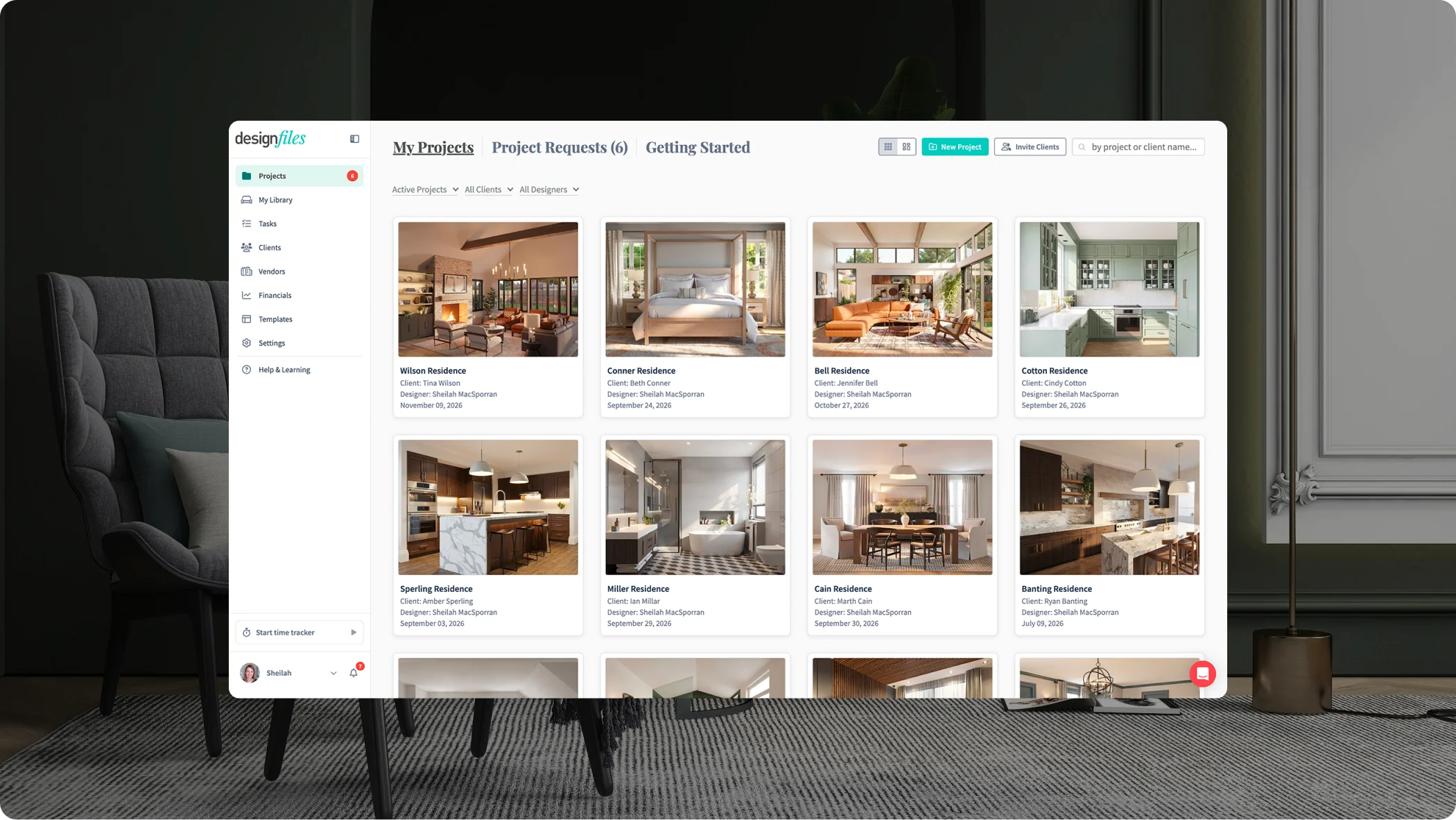
Interior Design Project Management Software That Follows Your Process
A design project runs on dozens of moving parts. Tasks, approvals, orders, and invoices all depend on each other. Our interior design project management software connects them, phase by phase. Approved items flow into quotes, invoices and purchase orders without retyping.
Onboarding Clients
Design Development
Feedback & Approvals
Billing & Payments
Order Management
Project Closeout
Your Project Management Command Center
Every login to our interior design project management software starts on one dashboard. It shows what tasks need your attention today, across every active project.
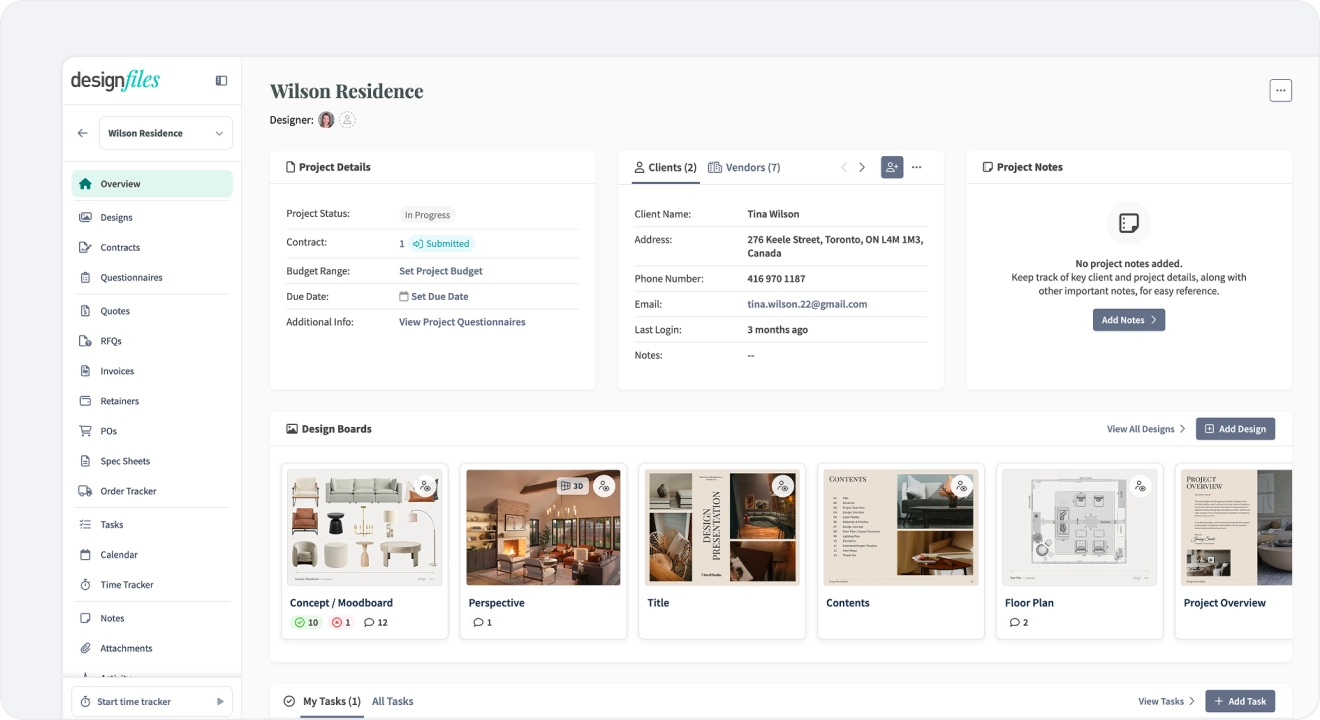
- Follow-up cards surface unpaid invoices and outstanding quotes
- Design board updates show new client activity on boards, plans, and renderings
- Project financials show invoiced, paid, and outstanding amounts at a glance
Start Every Project Organized
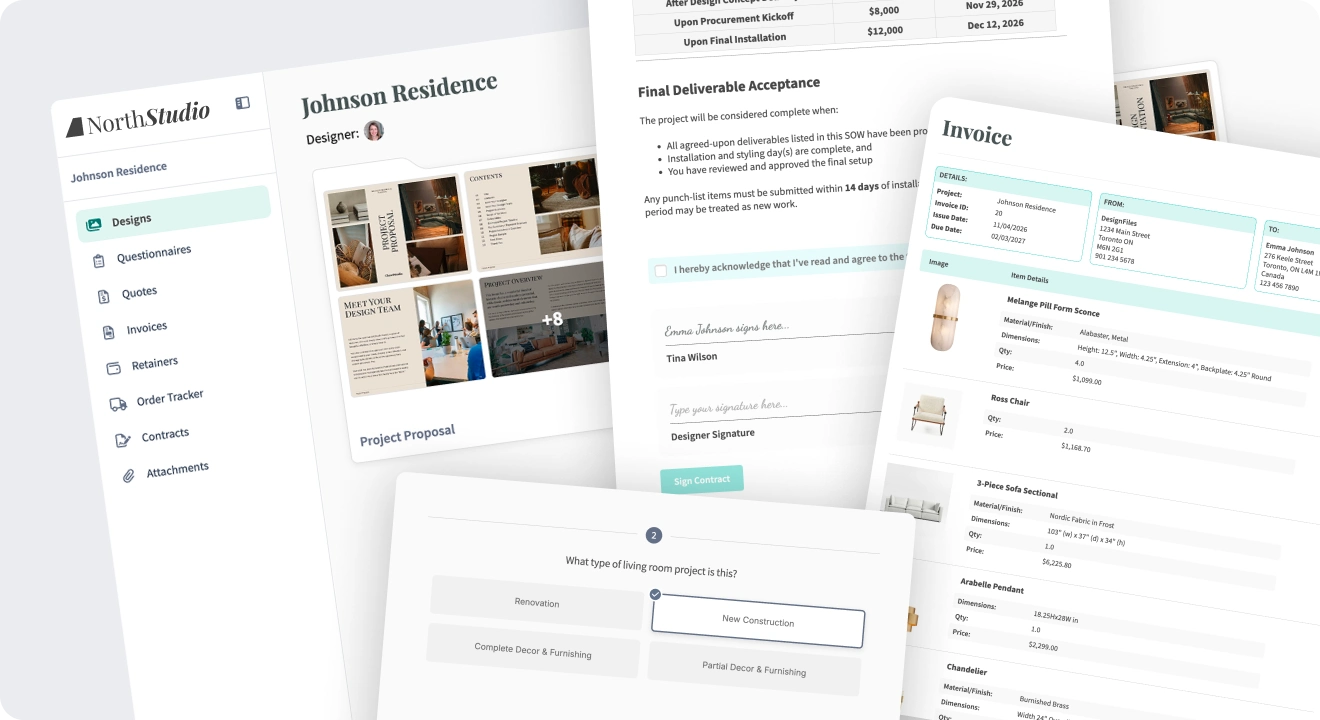
First impressions set the tone for the whole project. Send contracts, questionnaires, and retainer invoices from one branded client portal.
- Collect e-signatures on contracts clients open from a single link
- Send design questionnaires built from 13 pre-built templates
- Invoice retainers upfront, then apply those payments to later invoices
- Invite clients to a branded portal with your logo, colors, and fonts
Explore Design Tools:
Project Planning That Keeps Every Deadline Visible
Load your process once, then reuse it on every project. Tasks sync to your project calendar automatically. Your to-do list and your dates stay in step.
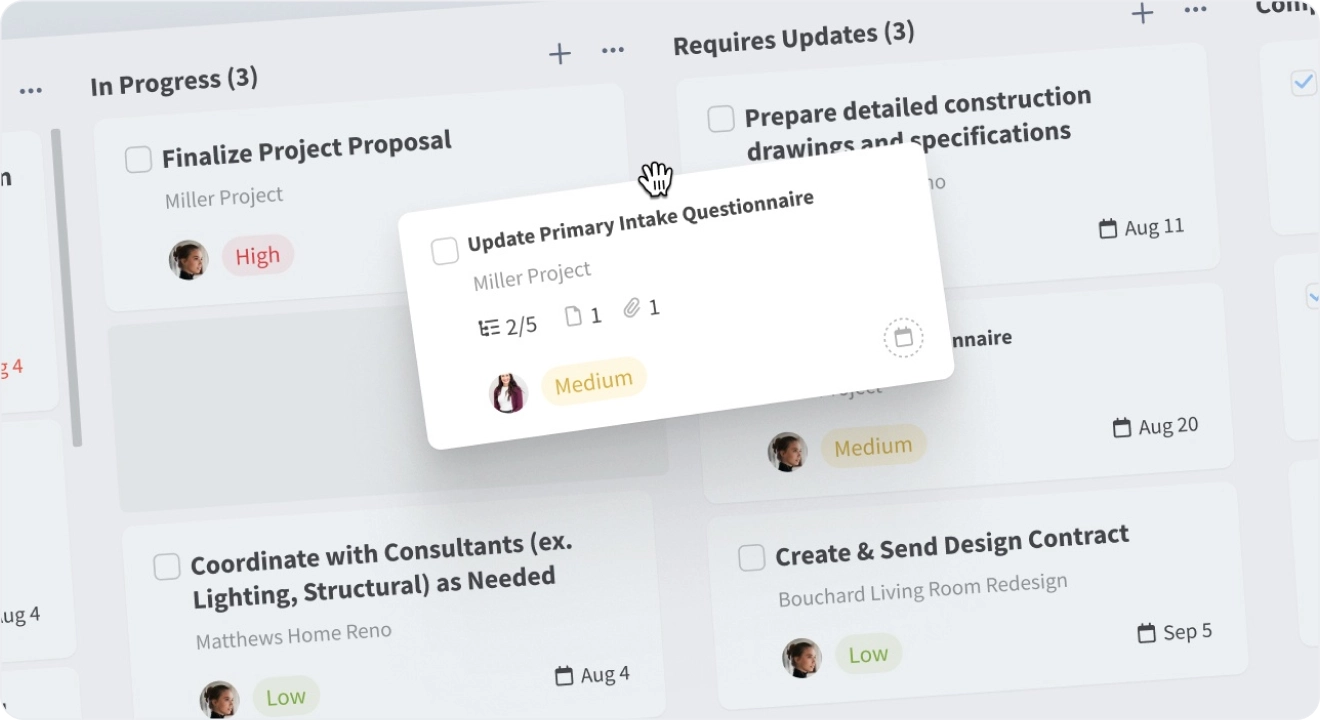
- Build task templates for design phases, site visits, sourcing, and installs
- Set due dates and priority statuses on every task and subtask
- View tasks, meetings, and deliveries by day, week, or month
- Get email reminders for key deadlines
Explore Design Tools:


GRAY SPACE INTERIORS
Get Client Approvals Without the Email Chains
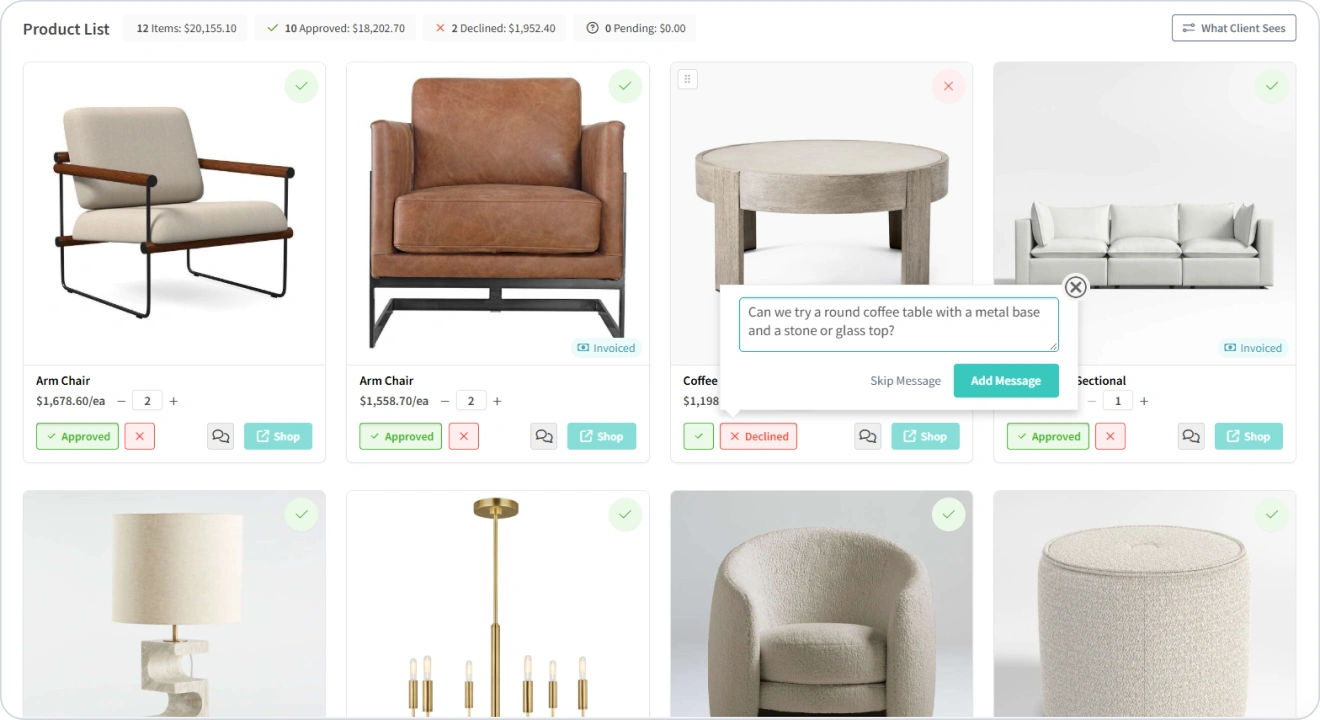
Feedback scattered across texts and inboxes slows everything down. The client portal ties every comment and approval to the exact product or design.
- Track each item’s status as approved, declined, or needs revision
- Keep a full feedback history linked to specific products and designs
- Preview the client view before you share any file or design
- Hide source links, costs, and markups from everything clients see
Explore Communication Tools:
Procurement Built Into Your Project Management Tool
Approved quotes become purchase orders in one click. Every order stays tied to its project.
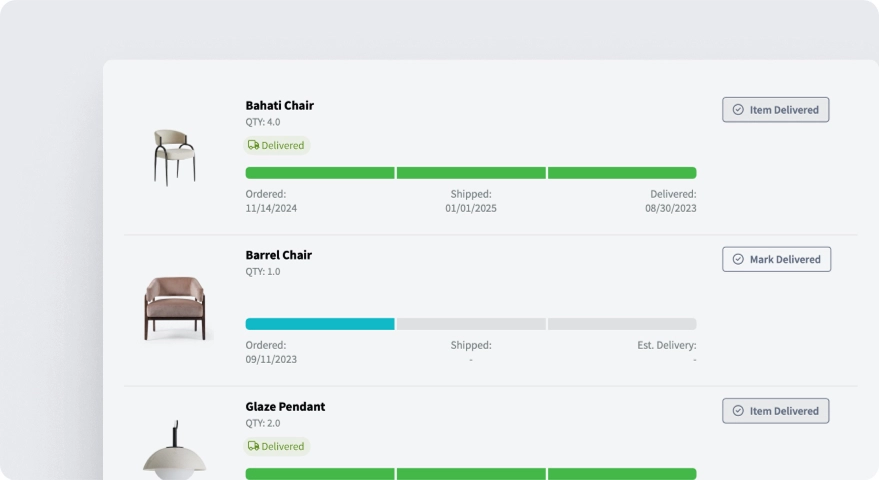
- Send RFQs to vendors to confirm cost and availability before purchasing
- Track each order as paid, shipped, delivered, or delayed
- See shipping and delivery dates on your project calendar automatically
- Share a client-facing order tracker so clients can check progress themselves
Explore Procurement Tools:
Bill Every Hour and Know What Each Project Earned
A project can be paid in full and still lose money. Track time (both billable and non-billable) against each project, then generate the invoice with a couple clicks.
- Start a timer inside the project and task you’re working on
- Set custom hourly rates by service, task, or team member
- Add tracked hours to invoices in one click, with rates applied
- Run financial reports by project, then sync payments to QuickBooks Online
Explore Communication Tools:


REESE DESIGN & CO.
Project Management for Your Whole Design Team
Growing past a solo studio changes how you work. Our interior design project management software gives your team one shared home base.
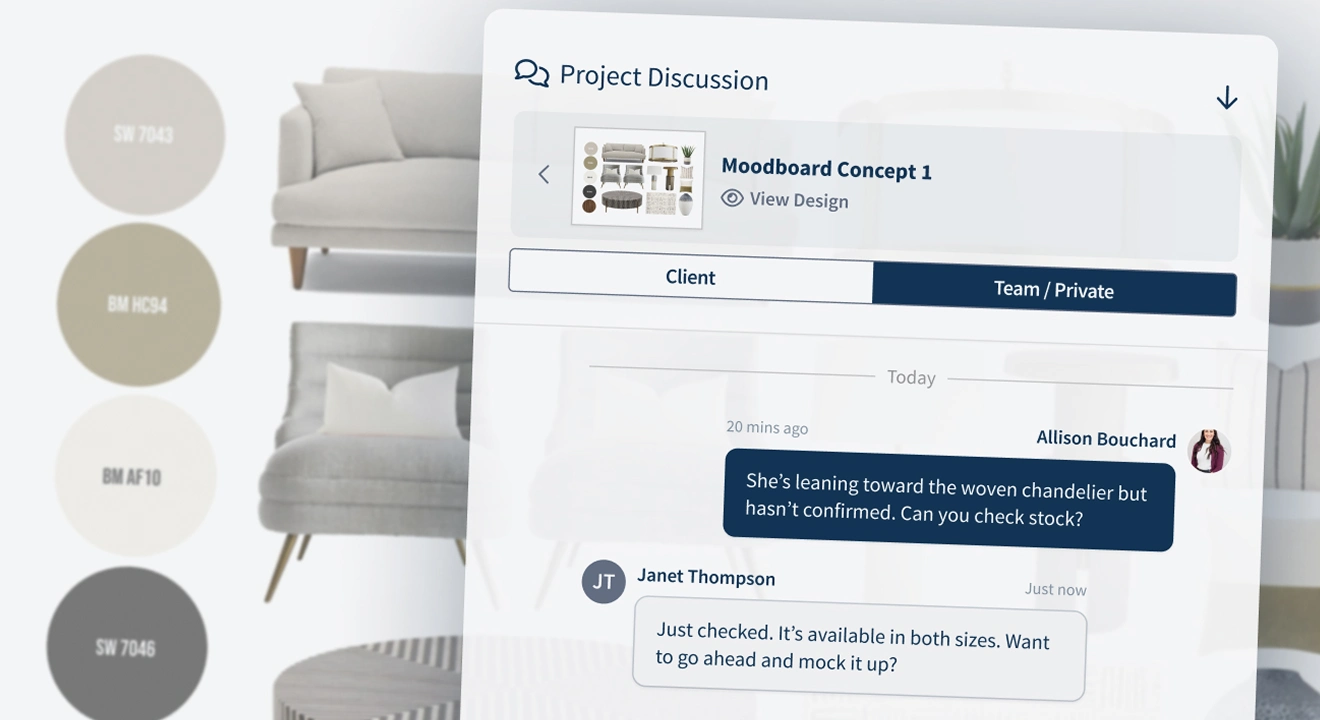
- Assign tasks by team member and filter progress by person or status
- Set roles and permissions so each person sees only what they need
- Leave comments on tasks, products, or designs, then tag teammates
- Share templates for quotes, invoices, and presentations to stay on-brand
Explore Team Tools:
1-on-1 Training
Let’s Map Your Project Process Together
Hop on a call and we’ll build your project task template with you.

Learn the Project Management Tools That Save You Hours
Watch short walkthroughs, then follow along inside your own projects.



Frequently Asked Questions
What is interior design project management software?
Interior design project management software keeps every part of a design project in one place. That includes designs, tasks, timelines, client approvals, quotes, invoices, purchase orders, tracked time, and more. DesignFiles connects them, so details you enter once carry into the next phase. No more copying product info between apps.
What should a project management tool for interior designers include?
Look for task templates, a project calendar, and a time tracker. You’ll also want a client portal for approvals. Procurement tools like RFQs, purchase orders, and an order tracker matter too. Invoicing with online payments rounds it out. DesignFiles includes all of these, with design tools built in.
Can I manage multiple projects at once?
Yes! Your task overview shows active tasks across every project in one place. Filter by due date, project, or team member. Follow-Up Cards on your dashboard flag unpaid invoices and outstanding quotes. You’ll spot what needs attention without opening each project.
How is DesignFiles different from Asana or Monday?
General project management tools handle timelines well. They weren’t built for spec sheets, purchase orders, or product approvals. DesignFiles was made for interior designers, so those workflows come built in. Your tasks, products, and invoices all live in the same project.
Does DesignFiles work for solo designers and teams?
Absolutely. Solo designers get design, project, and billing tools under one login. Growing studios can add team members and set roles and permissions. Everyone works from the same tasks, calendar, and files.
Other Tools Designers Love
Connect project management to the rest of your design workflow. Designers have managed 682K projects in DesignFiles so far.

Moodboards
Build stunning, branded boards quickly with pro tools for any presentation.

3D Floor Plans
Build 3D layouts fast and guide confident, quick client decisions.

Quotes
Deliver clear quotes, secure decisions, and keep projects moving.

Spec Sheets
Easily generate clear specs that leave no room for misinterpretation during handoff.
Run Every Project From One Place
Try the interior design project management software built for how you actually work. Your first project is free, no credit card required.

Get exclusive content straight to your mailbox
Join our mailing list where we share insider tips on how to grow your interior business, save time with automations, and more!
By entering your details, you agree to receive marketing emails from DesignFiles. We will never share your details with any third party.


